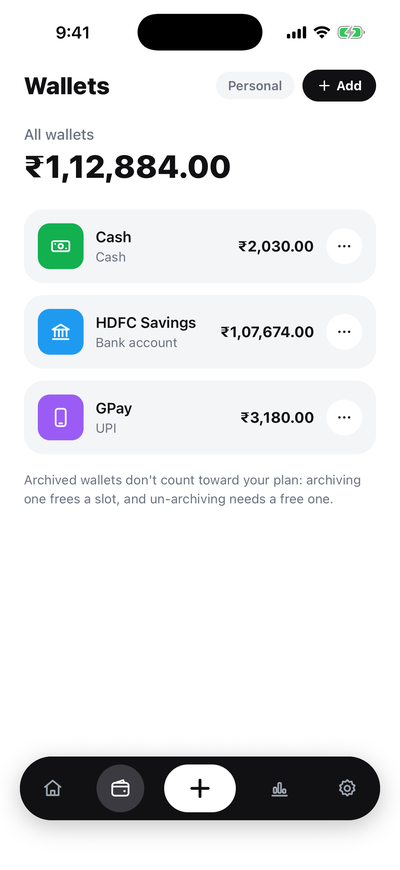
Wallets
Cash, bank, UPI and card wallets, each with its own balance. Your main balance sits on Home — hide it with one tap when people are around.
Record what you spend and earn in a few taps, keep your cash, bank, UPI and card wallets in one place, and see where your money goes — in English or Hindi.
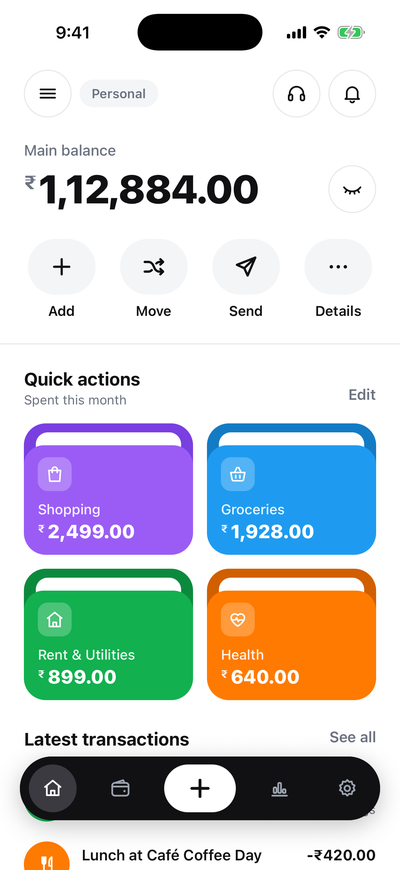
Simple to start, clear to read. Every rupee you spend, earn, send or move — in one app.
Cash, bank, UPI and card wallets, each with its own balance. Your main balance sits on Home — hide it with one tap when people are around.
Ready-made categories plus your own, each with a colour and an icon. Choose which category cards you see on Home.
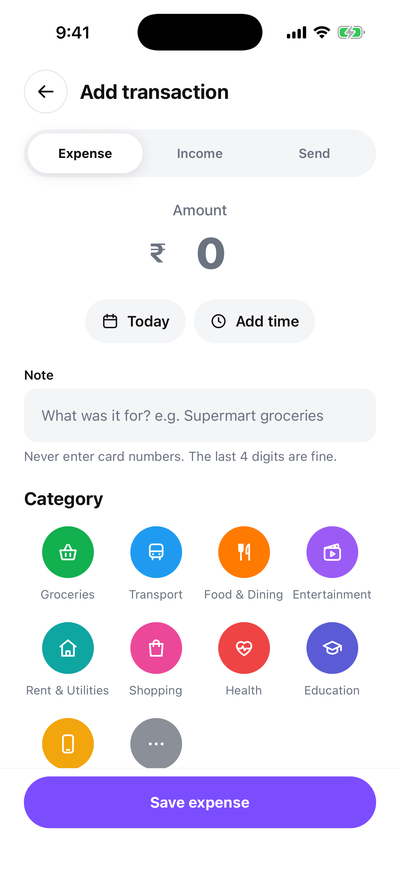
Type who you paid or a note, and the app suggests the category from your past entries. Change it any time — it learns from what you pick.
Expense or income with amount, date, wallet, category and an optional note. One big + button, always in reach.
Record money you paid to a person — rent to the landlord, money to family, the milkman. It is saved with their name so you can find it later.
Shift money between your own wallets — cash taken out at the ATM, bank to UPI. Both balances update, and it is never counted as spending.
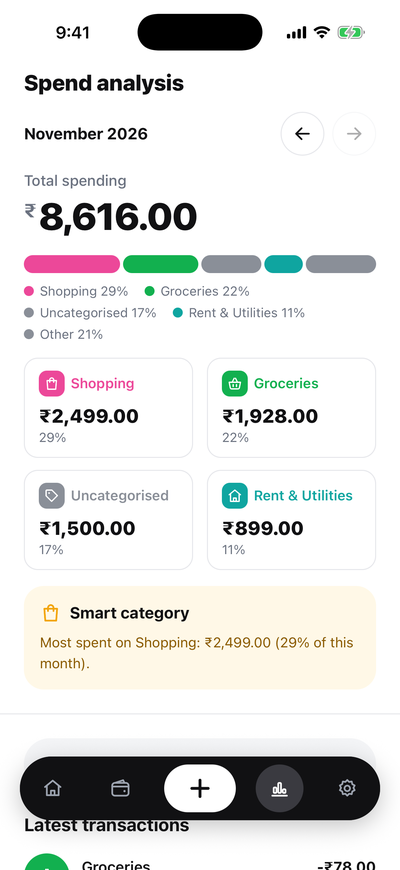
Open any wallet or category for its month total, a daily chart and latest entries. Spend analysis shows the month by category and how it compares with last month.
Search notes and names, then filter by type, wallet, category, dates or amount to find any entry fast.
The whole app in English or Hindi. Switch in Settings whenever you like.
A clean light look and a matching dark one. Follow your phone's setting or pick one.
Lock the app with your fingerprint, Face ID or phone PIN. We never see or store your biometrics.
Save your transactions as a CSV file, or download all your data in one ZIP. Your data stays yours.
Receipt photos on entries Coming soon
Your reports stay true because a payment to a person and a move between your own wallets are recorded differently from spending.
Paid the maid, sent money home or split a bill? Tap Send, enter who you paid and the amount. It shows up as “Sent to …” in your latest transactions.
Took cash out at the ATM or topped up UPI from your bank? A Move takes money from one wallet to another. Both balances change; your spending does not.
Spend analysis splits the month by category and points out where most of it went and what changed since last month. Open any wallet or category for its own month total and daily chart.
Install the app and sign up with your email or Google. We send a one-time code to check it is you.
Add the cash, bank, UPI and card wallets you use, with what is in them today.
Use Add, Send and Move as money comes and goes, then open Details to see where it went.
Screens from the Daily Expense Manager app with sample data. Swipe or use the arrows to explore.
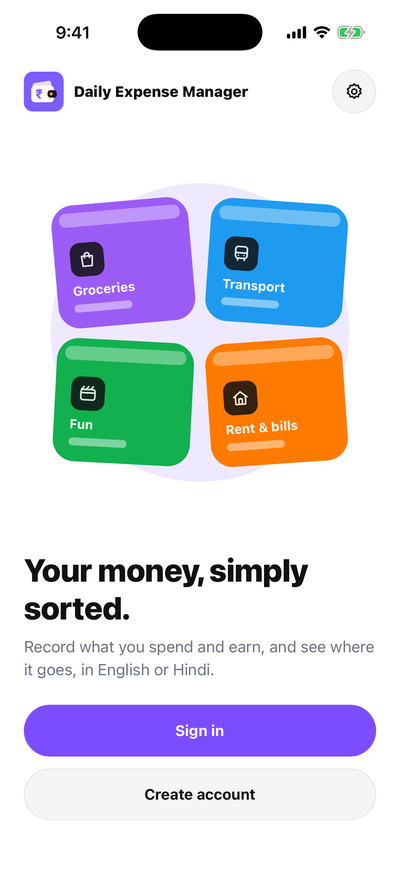
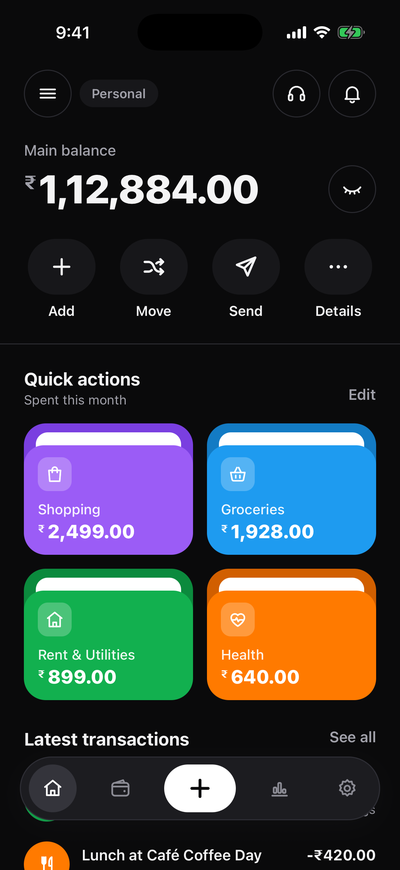
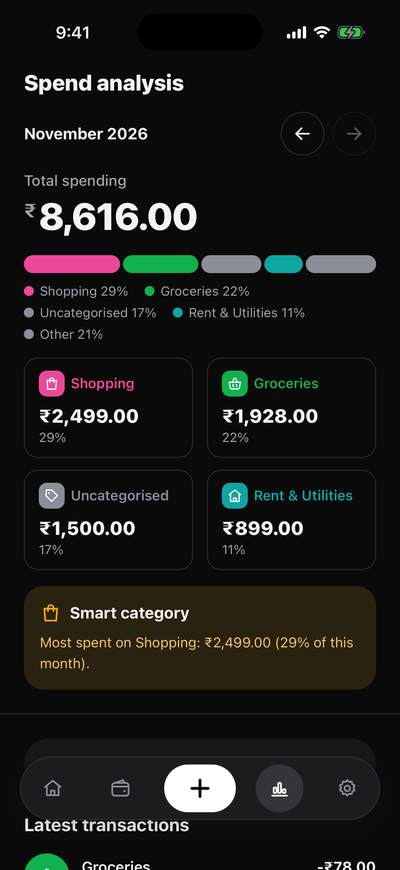
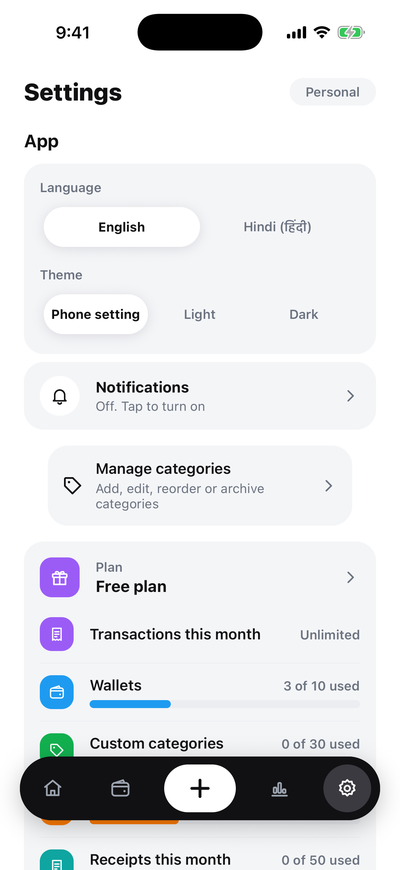
Pricing coming soon. There is nothing to buy right now.
Available at launch
Wallets, categories, Add, Send, Move, Details, English and Hindi, light and dark, app lock.
Coming soon
Higher limits for individuals, families and small businesses: more transactions, wallets, custom categories, workspaces and months of history, plus export and receipt storage.
Plans differ in limits such as:
There is a Free plan. Paid plans with higher limits are coming later; pricing is not set yet.
No. You record your entries yourself. The app never asks for bank logins, card numbers or UPI PINs — and it warns you if you type a card number into a note.
Send records money you paid to a person. Move shifts money between two of your own wallets, for example from your bank to cash, so it is not counted as spending.
When you type a name or a note, the app suggests the category you used before for something similar. You can always pick a different one, and it learns from your choice.
Yes. The app works in English and Hindi, and you can switch language in Settings.
Android phones and iPhones. Store links appear on this page as soon as the app is live in each store.
Yes. In Settings you can export transactions as a CSV file or download all your data, with every workspace you own, in one ZIP file.
In Settings → Delete account. Your account is locked at once and deleted for good after 30 days; sign in before then if you change your mind.
Questions, feedback or a problem with the app? Write to us and we will reply within working hours.
Free to start. English and Hindi. Light and dark.